

No Malware Needed. Just One Admin Account.

On March 11, 2026, Handala wiped devices across 79 countries using nothing but a compromised Intune admin account. No malware, no exploit, just legitimate management tooling turned into a weapon. Here is what happened, why it worked, and how the two architectural gaps that made it possible can be closed.
Wednesday, March 11, 2026. Employees at Stryker offices across 79 countries switched on their computers and found them blank. Login screens replaced by a logo. Corporate laptops, company phones, personal devices enrolled in the company's BYOD program. All wiped simultaneously, overnight. No ransomware. No malware signatures. Nothing for an endpoint detection tool to catch.
The attacker, a pro-Iranian hacktivist group named Handala, had turned Stryker's own IT management infrastructure into the weapon.
What actually happened
The core of the attack was not a sophisticated exploit or a zero-day vulnerability. It was something far simpler and, frankly, far more common: an administrator account was compromised, and that account had access to Microsoft Intune.
According to reporting by BleepingComputer, roughly 80,000 devices were wiped between 5:00 and 8:00 a.m. UTC. Handala claimed the number exceeded 200,000, including servers and mobile devices across the company's global operations in 79 countries.
No custom malware. No malicious binary to detect. A living-off-the-land attack, executed entirely through a legitimate management console.
Why this attack succeeded
There is a structural issue at the root of this, and it is not unique to Stryker. It is endemic across enterprises.
Most organizations treat administrative tasks and day-to-day work as activities that can comfortably coexist on the same device, under the same user identity. An IT administrator answers emails, browses the web, clicks the occasional link, and — from that same session, on that same machine — manages cloud infrastructure, approves access changes, or in this case, touches a device management console with the power to wipe the entire fleet.
This is the attack surface. When the everyday work context and the privileged administration context share a common endpoint and identity, any compromise of that endpoint is automatically a compromise of everything that identity can reach. Phishing, credential theft via infostealer malware, adversary-in-the-middle (AiTM) session token theft — all of them become a direct path to the most powerful controls in your environment. No privilege escalation needed. The attacker simply uses what's already there.
In Stryker's case, that access happened to include an Intune tenant managing devices across six continents.
CISA has seen enough
The scale and brazenness of the attack prompted an unusual response: CISA, the U.S. Cybersecurity and Infrastructure Security Agency, issued guidance directly addressing the risk of compromised device management platforms. The agency confirmed it was aware of the attack vector and urged organizations to take concrete action, ensuring that high-impact Intune functions like device wipes require a second administrator's approval before executing.
This is a rare and significant signal. When a federal security agency issues targeted guidance in the immediate aftermath of a specific incident, the message is clear: this is not an edge case. This is a pattern, and other organizations are likely running the same exposure.
Separation is not a luxury. It is the control.
The Stryker attack is a useful case study precisely because it illustrates the blast radius of a flat privilege model. The attacker did not need to escalate privileges through a chain of vulnerabilities. They gained access to credentials, or a session token, at one level and found that level was already sufficient to cause catastrophic, global, irreversible damage.
The architectural answer to this problem has a name: the Microsoft Enterprise Access Model (EAM). Its core principle is tiered administration: privileged operations are performed using dedicated accounts and dedicated devices, strictly separated from the everyday work context. This least-privilege approach means that a compromised productivity account cannot reach the management plane, and a compromised management account cannot reach control-plane operations. This applies equally to cloud-only environments and hybrid setups including on-premises reach-back to Active Directory via Entra ID, where a single over-privileged account can still bridge the cloud and the domain.
The idea is straightforward. Administrative work happens on administrative devices. The identity used to manage your Microsoft 365 tenant, your Intune environment, your Azure infrastructure, is never the same identity used to read email or attend Teams calls. The device used for those administrative sessions is hardened, restricted, and isolated from the regular internet browsing and productivity context that creates exposure. Lateral movement becomes structurally harder because there is no lateral path.
Two layers of defense
Addressing this threat model properly requires working at two levels simultaneously: securing who can touch your management plane and its credentials, and hardening how that management plane itself is configured and operated. These are not the same problem, and both matter.
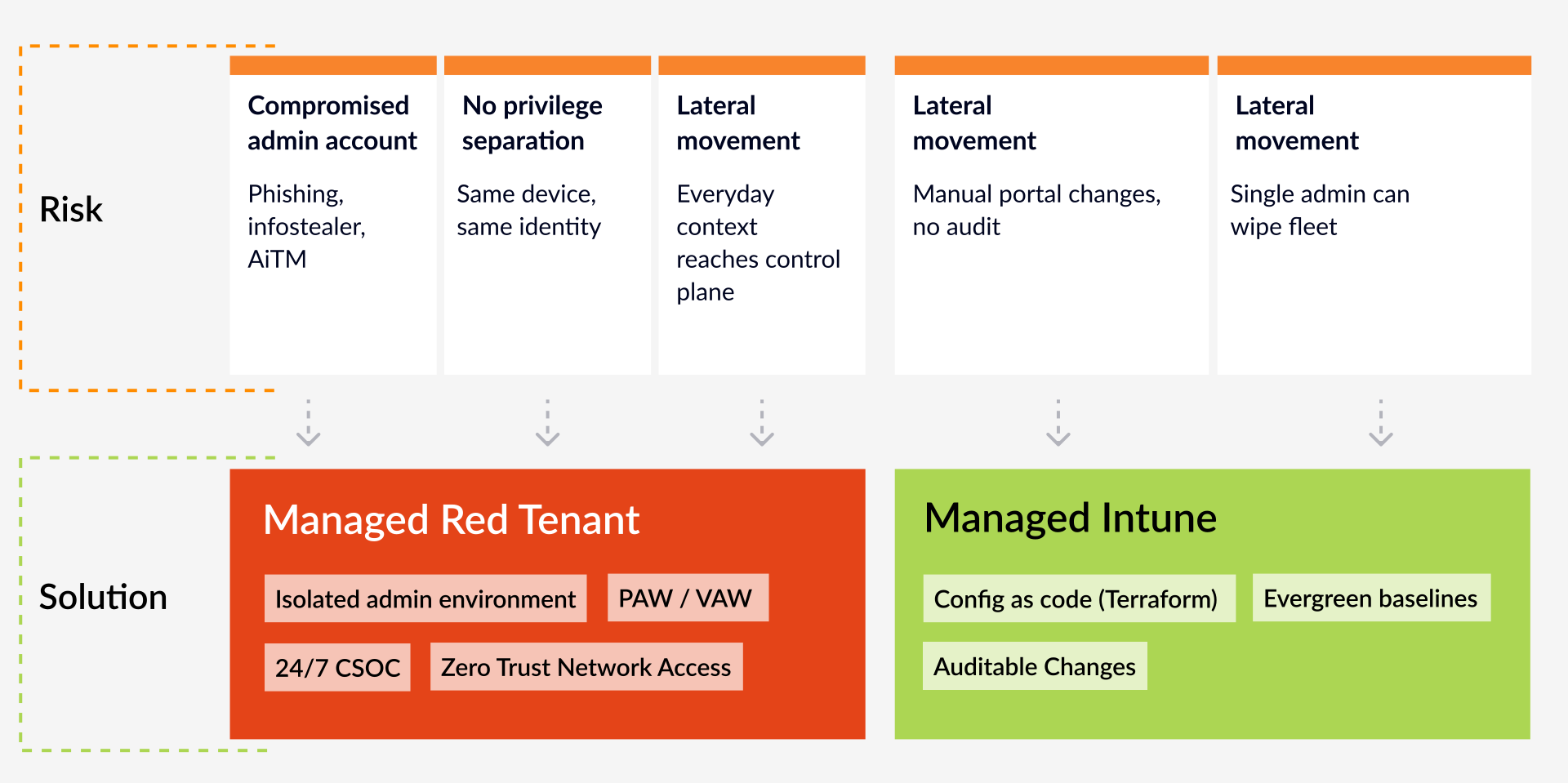
Managed Red Tenant: protecting the administrative context
The first layer is isolating privileged access entirely. This is what our Managed Red Tenant is built for.
The Managed Red Tenant provides a fully isolated, cloud-based administrative environment, a dedicated Microsoft Entra tenant ("the Red Tenant") used exclusively for privileged operations. Administrative identities live here. Administrative devices are managed here. Nothing from the regular work environment bleeds across.
For the most critical roles, those with Control Plane access, like Global Administrators, we implement the "Clean Keyboard" approach: a physical Privileged Admin Workstation (PAW) with dedicated hardware, hardened policies, and no exposure to the everyday work context whatsoever. For broader administrative roles, we offer scalable Virtual Access Workstations (VAW) built on a hardened Azure Virtual Desktop infrastructure within the Red Tenant. The access path itself is protected through Microsoft Entra Private Access, applying Zero Trust Network Access and Conditional Access policies before any session can be established.
Microsoft Entra Internet Access blocks public internet access from administrative sessions and restricts connectivity strictly to privileged interfaces and authorized tenant environments. Near real-time session revocation is possible through Universal Conditional Access Evaluation, meaning a revoked credential doesn't linger as a valid session.
The Managed Red Tenant is monitored 24/7 by our Cloud Security Operations Center (CSOC), with custom-developed detections built specifically around administrative permissions and access patterns. An attacker who somehow compromised a credential in this environment would not get three undetected hours to execute wipe commands across a global fleet.
This matters particularly for roles like Intune administrators. They know how to secure clients, but securing a privileged admin workstation requires a different set of skills — enterprise access architecture, identity hardening, Zero Trust controls — that typically sits with the security team. A Managed Red Tenant removes that burden entirely: Intune admins get a professionally managed, consistently hardened workstation without needing to become security workstation experts themselves. The same applies to any highly privileged role across the organization.

Managed Intune: locking down the management plane itself
The second layer is ensuring that Intune, the very tool that was weaponized in the Stryker attack, is configured, operated, and continuously maintained to the highest security standard. This is where our Managed Intune service comes in.
One of the core findings from incidents like Stryker is that organizations often inherit Intune environments that have grown organically over time: Policies stacked on top of policies, manual changes made through the portal that are difficult to audit, and security baselines that have not kept pace with Microsoft's own evolving recommendations. That kind of environment is exactly where configuration drift creates exploitable gaps.
Microsoft has recently published best practices for securing Microsoft Intune — a timely signal that even Microsoft considers Intune hardening a topic that needs explicit attention across the industry. Our Managed Intune service is built on exactly these principles, and we have implemented Microsoft's recommendations as part of our baseline.
Our Managed Intune service is built on the glueckkanja Intune Foundation: A set of proven, continuously maintained best practices for device management, delivered entirely as code using Terraform and our own TerraProvider. Every change is automated, version-controlled, and auditable. There are no undocumented click-through configurations that an attacker could exploit by understanding the gap between what was intended and what was set.
From a security perspective, this means Zero Trust, App Protection Policies, and Endpoint Security configurations are applied by design, consistently, across Windows, macOS, iOS, and Android, not as one-time deployments, but as continuously enforced, evergreen baselines that track Microsoft's own security guidance as it evolves.
Critically, Managed Intune reflects the operational maturity required to secure modern endpoint management: continuous compliance monitoring, structured change governance, and regular service reviews, not as optional extras, but as baseline operations. But securing the Intune configuration is only half the picture. If the administrator accessing the console does so from an unprotected device, the management plane remains exposed regardless which is exactly where the Managed Red Tenant completes the model.
Since all configurations are deployed as code based on the Intune Foundation, we enforce a strict four-eyes principle with peer review, additional automated validation, and controlled deployment pipelines. This eliminates unmanaged portal changes within the Intune Foundation and ensures a consistent, auditable, and secure baseline across all devices.
Administrative access is governed through a least-privilege model using GDAP and Azure Lighthouse, with clearly defined responsibilities and tightly scoped access to the customer tenant. This significantly reduces the attack surface associated with privileged operations.
Device-level actions, including destructive operations, remain under customer responsibility, as their execution is tightly coupled to organization-specific processes and internal governance frameworks. Microsoft and CISA recommend securing such actions through additional safeguards, such as multi-admin approval controls within Intune.
The uncomfortable question
The Stryker attack is not an indictment of Microsoft Intune. Intune behaved exactly as designed. It executed the commands it received from an authenticated administrator. The failure was not in the tool. It was in the absence of controls around who could reach that tool, from what context, and with what level of authorization.
That is a governance and architecture problem. And it is the same problem that exists in most organizations running Microsoft 365 today.
If your administrators access Intune, Entra ID, or Azure from the same devices and identities they use for everyday work and if your Intune environment has grown through years of manual portal changes rather than a structured, automated operating model, you are carrying the same structural risk that Stryker carried on March 10th. The question is whether an adversary will find that exposure before you address it.
Managed Red Tenant addresses the privilege and identity layer. Managed Intune addresses the configuration and operational layer. Together, they close the two gaps that made the Stryker attack possible.
If you want to understand how either service maps to your current environment, or where your specific exposure points are, we are happy to talk through it.
We will also be publishing a deep-dive article shortly, examining how the Stryker incident was able to happen in the first place.
Further information
Get in touch
Want to know how Managed Red Tenant and Managed Intune close the gaps the Stryker attack exploited? Fill out the form and we'll walk you through how it maps to your environment.
Similar Posts
Four Times Leader. glueckkanja in the ISG Study Germany 2026
The ISG Provider Lens® study 2026 positions glueckkanja as a Leader in Germany in four quadrants: Microsoft Productivity and Business ...
From Rising Star to Leader. glueckkanja in the ISG Study Switzerland 2026
The ISG Provider Lens® study 2026 positions glueckkanja as a Leader in Switzerland in the Microsoft AI and Cloud Ecosystem ...

Outbreak. What the OpenAI/Hugging Face incident reveals and what it doesn't
An AI agent breaks out of its test environment, finds a zero-day, and hacks another company. Sounds like a movie ...
Leader and Rising Star. glueckkanja in the ISG Cybersecurity Study 2026
The ISG Provider Lens® study Cybersecurity 2026 names glueckkanja a Leader in the Next-Gen SOC/MDR Services (Midmarket) quadrant. In the ...
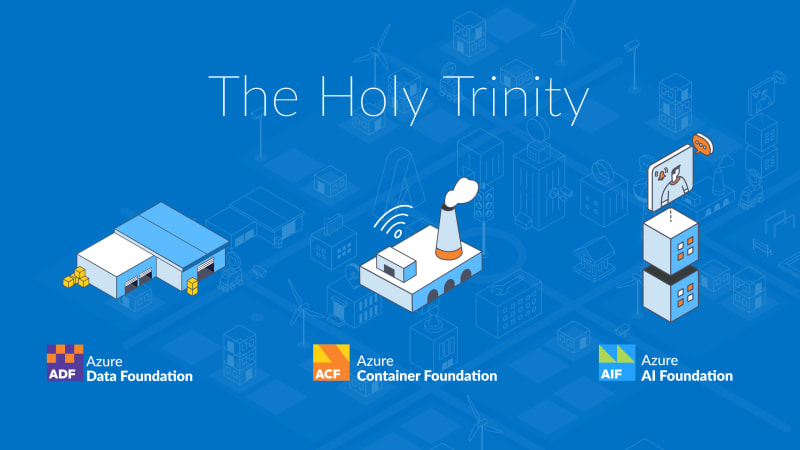
The Holy Trinity: What AI Actually Needs to Get to Work
A manufacturing company wants to know which of its 14,000 SKUs actually turn a profit. The answer sits in three ...

Contract Signed: Here's How Your Onboarding Works
Your contract is signed, the first big step is done. But what happens now? We take you behind the scenes ...

Microsoft Frontier Partner: we are among the few
Microsoft has recently introduced a new top-tier recognition within its AI Cloud Partner Program: the Frontier Partner Badge. It is ...

160 Kilometers for a Good Cause
Eleven colleagues, 16 laps, 160 kilometers, a thunderstorm, and a podium finish: glueckkanja took part in the Frankfurter Runden 2026 ...

Anatomy of an Unknown AMOS Stealer: From Alert to Immunity in Hours
A previously undocumented AMOS stealer variant compromised a macOS endpoint. No known hashes, no C2 data in any public database. ...
Why Edge Should Be Your Only Corporate Browser
The browser nobody satisfies chose became the one everybody manages. Most companies never made a deliberate decision for Chrome; it ...
No Malware Needed. Just One Admin Account.
On March 11, 2026, Handala wiped devices across 79 countries using nothing but a compromised Intune admin account. No malware, ...

Six Agents. Four Weeks. Real Production.
Six companies, four weeks of building, six working AI agents — that was the first glueckkanja AI Agent Hackathon. Kiekert, ...

Exchange AD Split Permissions without regrets
Even organizations that have fully migrated their mailboxes to the cloud often still run on-premises Exchange servers and with them, ...

AuthCodeFix aka ConsentFix
Just before year's end, ConsentFix emerges: a clever OAuth-based attack that abuses legitimate authentication flows to steal the authorization code, ...

Our Application Process Explained
You've discovered an exciting position with us and want to apply? Great – we're always happy to welcome new talent! ...
Cloud-first at the airport: Microsoft Partner of the Year Awards 2025
Out of more than 4,600 nominations from over 100 countries, one project stood out as a showcase of what modern ...

Preventing Cyber Attacks: How Companies Build Resilience with IT Structures
Saturday morning, somewhere in Germany. While the weekend is just beginning for many, our team notices the first warning signs ...
First Worldwide: glueckkanja Security Copilot Agents
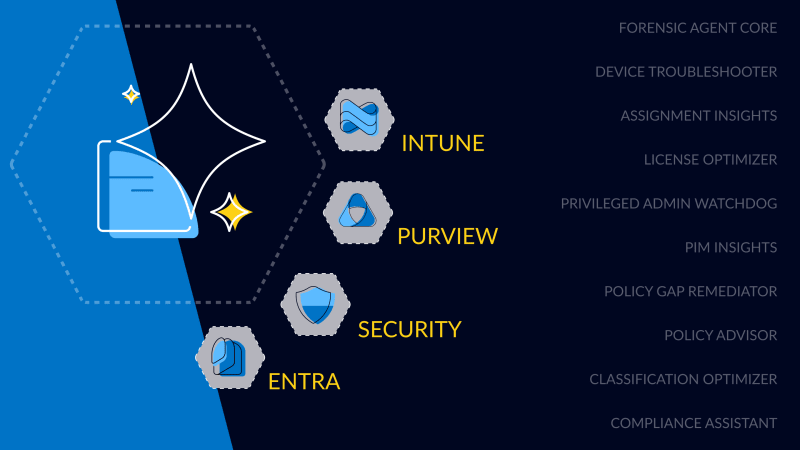
glueckkanja is among the first partners in the Microsoft Security Store Preview, delivering 10 Microsoft-native Security Copilot Agents across Security, ...

Global Secure Access Unlocked
This blog explores how Microsoft Global Secure Access enhances security and control in our Managed Red Tenant. With Entra Internet ...
This is why you need a solid infrastructure to be agent-ready in 2025
Before Microsoft 365 Copilot Agents can deliver real value, the foundation must be solid: clean data, proper permissions, and a ...

Monitoring That Grows With You – Organic Solutions in Azure
How modern Azure monitoring creates transparency and leaves room for what matters most