

Autopilot Device Preparation Becomes the Standard, Hybrid Join Falls Behind
Since September, Microsoft has recommended Autopilot Device Preparation as the standard for user-driven Windows deployments. The new approach is genuinely simpler and more reliable, but it only supports Entra Join. For anyone still rolling out new devices with Hybrid Join today, that is the real takeaway: switching to Entra Join later will require a reset. We explain what changes compared to classic Autopilot and why we are still rolling out new devices the classic way for now, but consistently with Entra Join.

In September, Microsoft declared Autopilot Device Preparation the recommended approach for user-driven Windows deployments. The new model is simpler to set up and runs more reliably, but it only supports Entra Join. Anyone still rolling out new devices with Hybrid Join today should pay close attention here, because that limitation matters more than the question of which provisioning tool to use.
The Key Points
- New recommendation: Since September, Microsoft recommends Autopilot Device Preparation for user-driven enrollments because deployments complete faster and more reliably.
- Entra Join only: Device Preparation exclusively supports Entra Join. Hybrid Join is not part of the new model.
- No in-place migration: Microsoft offers no supported path to convert a hybrid-joined device to Entra Join without a reset. Anyone rolling out new devices with Hybrid Join today will either have to reprovision them later or remain tied to on-premises infrastructure for another full hardware cycle.
- No retirement date: Classic Autopilot and Device Preparation will coexist for the foreseeable future.
- Our recommendation: The join type is what matters, not the tooling. For new devices, we continue to use classic Autopilot with Entra Join, because manufacturers and resellers can register devices in your tenant before they even ship. Device Preparation does not yet support that zero-touch path.
| Windows Autopilot | Autopilot Device Preparation | |
|---|---|---|
| Join type | Entra Join, Hybrid Join | Entra Join |
| Modes | User-driven, Pre-Provisioning, Self-Deploying, existing devices | User-driven, Automatic (Windows 365) |
| Tenant binding | mandatory via hardware hash, including by OEMs and partners | optional via Device Association, manually in Intune |
| Configuration during deployment | device- and user-scoped via the Enrollment Status Page (ESP) | device-scoped only, with a limited number of apps and scripts |
| Reporting | delayed | near real-time |
| Additional features | Autopilot Reset, DFCI, Teams Rooms, HoloLens, Self-Deploying, Pre-Provisioning | Win32 and LOB apps in the same deployment flow |
Source: Microsoft Learn, Compare Windows Autopilot device preparation and Windows Autopilot
What Microsoft Has Announced
In mid-September, Microsoft published a post on the Intune Customer Success Blog outlining the transition from classic Windows Autopilot to Device Preparation. The message is unambiguous: for user-driven deployments, Device Preparation is now the recommended path.
The technology itself is not new. Device Preparation has been available since 2024 as a redesigned variant of Autopilot that is simpler and more reliable, and surfaces deployments in near real-time. Until recently, however, it had a gap: before the first sign-in, the device had no way of knowing which tenant it belonged to. Device Association, introduced in late August, closes that gap. It lets you associate a Windows device with your tenant before deployment begins, so the device is automatically recognized as a corporate asset, receives a defined name and a customized out-of-box experience, all before the user finishes setup.
You do not need to switch right away. Classic Autopilot and Device Preparation coexist within the same tenant, but each device uses only one of the two models. If a device is both registered for Autopilot and associated via Device Association, the association takes precedence.
One Policy Instead of Four Building Blocks
Classic Autopilot is built from deployment profiles, the Enrollment Status Page, group tags, and dynamic groups. Device Preparation replaces all of that with a single provisioning policy that defines everything happening during the out-of-box experience (OOBE), from device settings and apps to scripts and device naming. In practice, this means:
- Faster assignments: At enrollment, devices are placed into a static Entra group immediately via Enrollment Time Grouping. Apps and scripts assigned to that group are available right away during provisioning, without waiting for dynamic group evaluation.
- Clear phase separation: During provisioning, only device-scoped settings and the apps that are truly needed land on the device. Everything user-scoped follows once the desktop is up, making initial setup shorter and less error-prone.
- Better reporting: Every deployment is visible in near real-time with far more detail than classic Autopilot provides, which makes troubleshooting noticeably easier.
Device Preparation Only Supports Entra Join
Device Preparation supports Entra Join only. Hybrid Join has no place in the new architecture, and nothing in Microsoft's announcements suggests that will change. Classic Autopilot still handles Hybrid Join, but Microsoft's development effort is clearly aimed at deployments without a domain controller. Microsoft Learn now states this explicitly:
"Microsoft recommends deploying new devices as cloud-native using Microsoft Entra join. Deploying new devices as Microsoft Entra hybrid join devices isn't recommended …"
Anyone who has run Hybrid Join with Autopilot knows the friction: during provisioning, the device must be able to reach a domain controller, the Intune Connector for Active Directory must be available and working, and Group Policy runs in parallel with Intune. Those are exactly the dependencies that cause most deployment failures and stalls. For us, Hybrid Join was always a transitional solution, never the destination.
An Entra-joined device needs nothing more than an internet connection during setup. Configuration, apps, updates, and compliance policies all come through Intune, and Conditional Access governs access to corporate resources. That fits a working world that increasingly takes place outside the corporate network, whether at home, on the road, or somewhere in between.
We have called this principle "Starbucks Deployment" for years, and back in 2019 it earned us the Microsoft Global Modern Desktop Partner of the Year Award.
Switching from Hybrid to Entra Join Requires a Reset
One point is critical for planning: there is no supported way to convert a hybrid-joined device to Entra Join without a reset. Every device you roll out today with Hybrid Join will eventually need to be reprovisioned to make the switch.
That sounds like a lot of work, but it can be managed in an orderly way in practice. The most common approach is to align the transition with the normal hardware refresh cycle: new devices come in with Entra Join from the start, while the hybrid-joined fleet is retired gradually. Organizations that want to move to the cloud faster can also reprovision existing devices in waves with Entra Join.
Why We Still Recommend Classic Autopilot
Even so, we are not yet advising customers to switch to Device Preparation. For new devices, we continue to recommend classic Autopilot, but consistently with Entra Join.
The main reason is OEM and reseller integration. With classic Autopilot, the OEM or reseller registers the device in your tenant before it ships. It goes straight to the end user, displays your branding on first boot, and configures itself without any IT intervention.
With Device Association, you currently have to read out the device information locally and upload it to Intune yourself. That works well for warehouse staging, technician-led rollouts, or internal deployments, but not for direct shipment to users. Microsoft has announced that OEMs and partners will be able to pre-associate devices, but without a timeline.
There are also scenarios that Device Preparation does not yet fully cover:
- Pre-Provisioning: A partner installs apps and applies policies before the device ships, so employees start with a device that is nearly fully configured.
- Self-Deploying Mode: Kiosk and shared devices that are rolled out without a user sign-in.
- Extended provisioning options: More apps during setup and the ability to lock the desktop until the required user-scoped configuration is complete.
- Specialized device scenarios: Teams Rooms and firmware management via DFCI.
Once OEMs and resellers can pre-associate devices for Device Preparation, we will revisit our recommendation. The underlying strategy stays the same regardless: anyone planning a new deployment today plans for Entra Join. A later move from classic Autopilot to Device Preparation would then only affect the provisioning path for new devices, not the management model, the identity platform, or the device architecture.
"Our Devices Won't Work Without Domain Join"
We hear this constantly. The technology behind Entra Join is mature and proven, and when things go wrong it is rarely Entra Join itself at fault. It is usually the dependencies, processes, and assumptions that have accumulated around Active Directory over the years.
- Group Policy: Many organizations have far more GPOs than they need, and in our experience a significant portion of them no longer have any effect. With our blueprint, Entra clients are up and running within minutes on a well-tested and flexible baseline that we operate entirely as Infrastructure as Code in Managed Intune and keep continuously up to date.
- Access to on-premises resources: File servers, printers, and internal web applications remain reachable for Entra-joined devices. As long as the device can reach a domain controller, it obtains Kerberos tickets and signs in to on-premises resources via single sign-on, using Windows Hello for Business over Cloud Kerberos Trust. You should still test these scenarios with real users and real business applications.
- Certificates and network access: Network and VPN authentication often depends on computer certificates from an on-premises CA, validated through a Network Policy Server (NPS). For Entra-joined devices, Intune distributes the certificates, for example via Microsoft Cloud PKI or SCEPman, and a cloud-capable RADIUS solution such as RADIUSaaS handles network authentication.
- Reliable app deployments: When Autopilot deployments fail, the cause is usually not the join type but poorly built or unmaintained software packages. That is why we use RealmJoin, our companion to Intune with more than 2,500 pre-packaged applications. Regardless of the tooling: during initial setup, only the apps users genuinely need on day one belong on the device. Everything else follows once the device is in production, or is available for self-service installation via the Intune Company Portal or the RealmJoin App Catalog.
Conclusion
Device Preparation cannot yet do everything classic Autopilot can. The direction is clear nonetheless: Microsoft is investing in Entra Join, and Hybrid Join is increasingly becoming a legacy model.
Continuing to run existing hybrid-joined devices through the end of their lifecycle can make sense, even if that means maintaining two management models in parallel for a while. Rolling out new devices with Hybrid Join today, however, ties you to on-premises dependencies for another full hardware cycle while Microsoft continues developing provisioning and management for Entra Join.
If you are planning the switch from Hybrid Join to Entra Join, struggling with Autopilot deployments, or looking to manage your Windows devices entirely through Intune, we are happy to help.
Sources
- Moving from Windows Autopilot to Windows Autopilot device preparation (Microsoft Tech Community, September 2026)
- Introducing device association for Windows Autopilot device preparation (Microsoft Tech Community, August 2026)
- Compare Windows Autopilot device preparation and Windows Autopilot (Microsoft Learn)
- Windows Autopilot device association FAQ (Microsoft Learn)
- Microsoft Entra joined vs. hybrid joined (Microsoft Learn)
Get in Touch
Planning the switch from Hybrid Join to Entra Join, dealing with Autopilot deployments that fail more often than you'd like, or looking to manage your Windows devices entirely through Intune? Reach out and we'll take a close look at your environment together.
Similar Posts
Autopilot Device Preparation Becomes the Standard, Hybrid Join Falls Behind
Since September, Microsoft has recommended Autopilot Device Preparation as the standard for user-driven Windows deployments. The new approach is genuinely ...

Who Built These Agents?
E7 bundles E5, Copilot, the Entra Suite and Agent 365. But a license doesn't clean up your tenant. Who is ...

The End of MFA via SMS
Why organizations should move to phishing-resistant and passwordless authentication now.

ClickFix. When the user is the exploit, and how to stop it
ClickFix turns users into their own attacker: a fake CAPTCHA, a copy-paste, and malware runs in memory with nothing on ...
Admin Work and Everyday Work on One Machine? Game Over.
Why one tenant is not enough for CIOs, and why the second one is rarely part of the plan. The ...
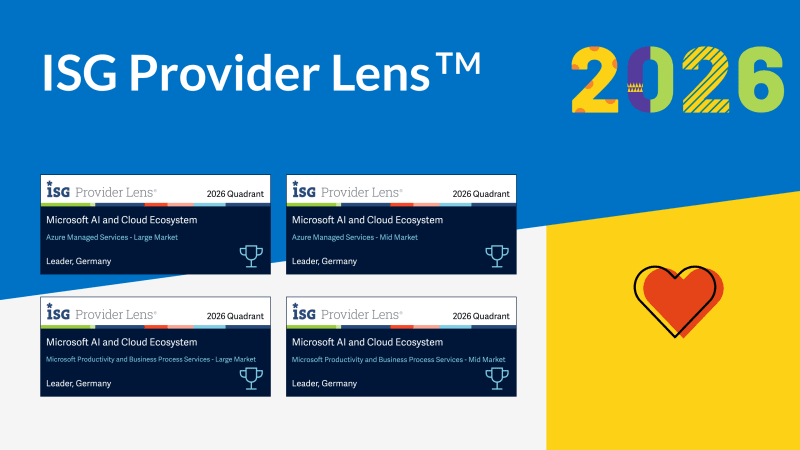
Four Times Leader. glueckkanja in the ISG Study Germany 2026
The ISG Provider Lens® study 2026 positions glueckkanja as a Leader in Germany in four quadrants: Microsoft Productivity and Business ...

From Rising Star to Leader. glueckkanja in the ISG Study Switzerland 2026
The ISG Provider Lens® study 2026 positions glueckkanja as a Leader in Switzerland in the Microsoft AI and Cloud Ecosystem ...

Outbreak. What the OpenAI/Hugging Face incident reveals and what it doesn't
An AI agent breaks out of its test environment, finds a zero-day, and hacks another company. Sounds like a movie ...
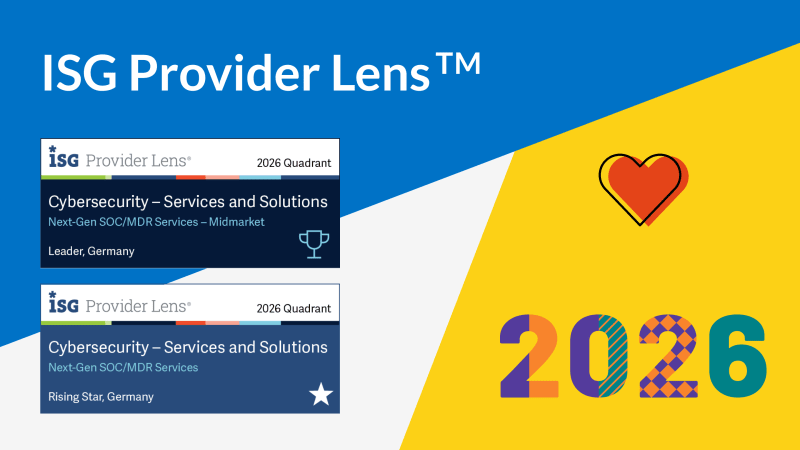
Leader and Rising Star. glueckkanja in the ISG Cybersecurity Study 2026
The ISG Provider Lens® study Cybersecurity 2026 names glueckkanja a Leader in the Next-Gen SOC/MDR Services (Midmarket) quadrant. In the ...
The Holy Trinity: What AI Actually Needs to Get to Work
A manufacturing company wants to know which of its 14,000 SKUs actually turn a profit. The answer sits in three ...

Contract Signed: Here's How Your Onboarding Works
Your contract is signed, the first big step is done. But what happens now? We take you behind the scenes ...

Microsoft Frontier Partner: we are among the few
Microsoft has recently introduced a new top-tier recognition within its AI Cloud Partner Program: the Frontier Partner Badge. It is ...

160 Kilometers for a Good Cause
Eleven colleagues, 16 laps, 160 kilometers, a thunderstorm, and a podium finish: glueckkanja took part in the Frankfurter Runden 2026 ...

Anatomy of an Unknown AMOS Stealer: From Alert to Immunity in Hours
A previously undocumented AMOS stealer variant compromised a macOS endpoint. No known hashes, no C2 data in any public database. ...
Why Edge Should Be Your Only Corporate Browser
The browser nobody satisfies chose became the one everybody manages. Most companies never made a deliberate decision for Chrome; it ...